
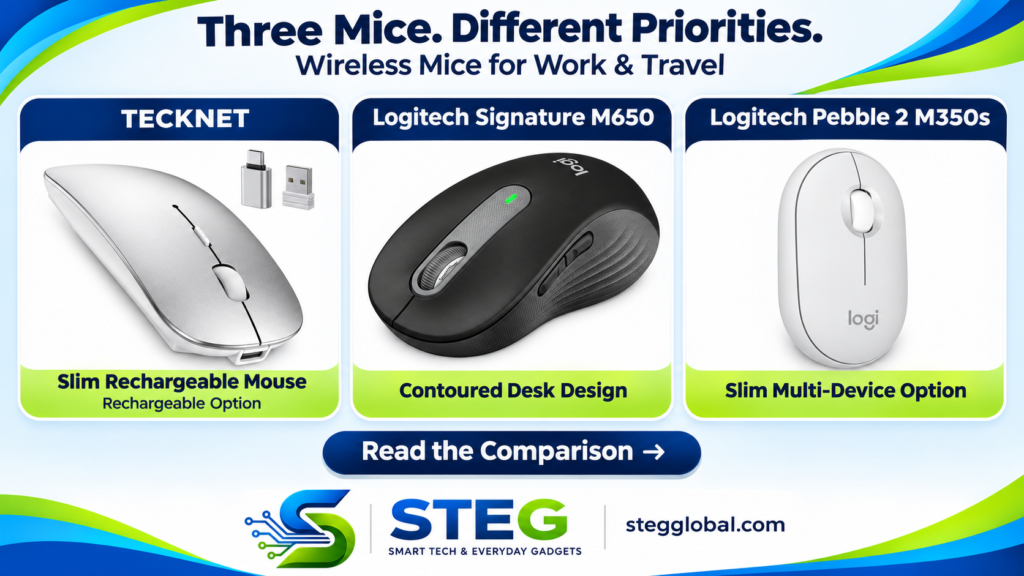
A wireless mouse can make everyday laptop use more convenient, but the right choice depends on how you work. Do you want a rechargeable mouse, a more contoured shape for your desk, or a slim design that switches between devices?
These three options take different approaches: the TECKNET slim rechargeable mouse, Logitech Signature M650, and Logitech Pebble Mouse 2 M350s.
Here is a balanced look at their features, customer feedback, and limitations to help you decide.
Affiliate disclosure: This article contains affiliate links. As an Amazon Associate, I earn from qualifying purchases.
Review approach: This comparison is based on product specifications, listing information, and customer reviews. We have not personally tested these mice.
Quick Comparison
| Feature | TECKNET Slim Rechargeable | Logitech Signature M650 | Logitech Pebble 2 M350s |
|---|---|---|---|
| Main appeal | Rechargeable power and slim design | Contoured shape and side buttons | Slim design and three-device switching |
| Connection | Bluetooth or 2.4 GHz receiver, according to the listing | Bluetooth or Logi Bolt receiver | Bluetooth; optional Logi Bolt receiver |
| Power | Built-in rechargeable battery | Replaceable AA battery | Replaceable AA battery |
| Shape | Low profile | Taller, contoured body | Flat, rounded body |
| Main consideration | Limited evidence of long-term reliability | Choose the correct size for your hand | Flat shape may take adjustment |
TECKNET details refer to the silver version with a USB-C adapter shown in the selected listing. Logitech specifications are supported by the manufacturer’s documentation. Logitech Support + Download
1. TECKNET Slim Rechargeable Mouse
An option for people who prefer recharging
The selected TECKNET mouse combines a slim silver body with rechargeable power. Its listing offers Bluetooth and a 2.4 GHz USB connection, with a USB-C adapter included in the selected version.
This gives it a practical appeal for laptop users who want connection options without regularly replacing disposable batteries. The listing also advertises quiet clicks and six adjustable sensitivity levels, up to 4,800 DPI.
What looks useful
- Rechargeable power avoids routine battery replacement.
- The low profile should make it easier to pack alongside a laptop.
- Bluetooth and receiver connections offer flexibility.
- Adjustable pointer sensitivity lets you choose a speed that suits your work.
What to consider
The customer reviews supplied for this comparison include praise for straightforward setup, light weight, and everyday operation. However, they provide limited evidence about long-term battery performance and durability.
The flat shape may also offer less palm support than a taller mouse. A slim design is convenient for packing, but comfort depends on your hand size and grip.
Who might choose it? Someone who prioritizes rechargeable power and a compact shape for general laptop use.
👉 Check the TECKNET mouse on Amazon
2. Logitech Signature M650
A contoured option for everyday desk work
The Signature M650 has a more sculpted body than the two slim mice in this comparison. The selected version is designed for small to medium hands, so check the size carefully before ordering.
It offers Bluetooth and an included Logi Bolt receiver, plus customizable side buttons through compatible Logitech software. Its SmartWheel supports controlled scrolling and faster movement through longer documents or web pages. It uses a replaceable AA battery rather than a built-in rechargeable battery. Logitech Support + Download
What looks useful
- The contoured body offers an alternative to flat travel mice.
- Side buttons can provide convenient shortcuts.
- SmartWheel scrolling may be useful for documents and browsing.
- Bluetooth and receiver connectivity suit different computer setups.
What to consider
In the customer feedback supplied, buyers appreciate the shape, quiet operation, connection experience, and scrolling. Feedback on reliability and click responsiveness is more mixed, including reports of buttons requiring firmer pressure or developing problems.
Also, having two connection methods does not mean it offers the Pebble’s three-device Easy-Switch feature. The M650 does not provide that function. logitech.com
Who might choose it? Someone who mainly works at a desk and prefers a contoured mouse with side buttons.
👉 Check the Logitech Signature M650 on Amazon
3. Logitech Pebble Mouse 2 M350s
A slim option for switching between devices
The Pebble Mouse 2 M350s has a flat, rounded design that suits a compact laptop setup. Its main distinction here is Easy-Switch: you can pair it with up to three devices and switch between them using the button underneath.
It connects through Bluetooth and also supports a Logi Bolt receiver, which is sold separately for the standalone mouse. It uses one AA battery. On supported systems, Logi Options+ lets you customize the middle button. Logitech Support + Download
What looks useful
- Three-device pairing can simplify a shared work and personal setup.
- Its slim shape is convenient for a laptop bag.
- Bluetooth operation leaves a USB port available.
- Middle-button customization adds useful shortcut options.
What to consider
The supplied customer reviews praise its slim design, quiet operation, and straightforward connection. However, one buyer described the shape as initially awkward compared with a traditional mouse.
That is an important trade-off: a flat body can be convenient to carry, but it may not provide the palm support you prefer for longer sessions.
Who might choose it? Someone who carries a laptop regularly or wants one mouse for several compatible devices.
👉 Check the Logitech Pebble Mouse 2 M350s on Amazon
Which Mouse Should You Choose?
Choose the TECKNET if rechargeable power and a slim design are your main priorities.
Choose the Logitech Signature M650 if you prefer a contoured body, side buttons, and a mouse primarily for desk work.
Choose the Logitech Pebble 2 M350s if portability and switching between three devices matter most.
Before purchasing, check the selected version, operating-system compatibility, included accessories, and current price. Hand comfort is personal, so the shape deserves as much attention as the feature list.